Notero: the next generation in citation software!
Like Shelby, I can’t say enough good things about Zotero. I’ve been using it for years. It’s great for research projects, creating presentations, writing blog posts – pretty much anything.
But when I was working on writing a chapter last spring, I needed a citation manager that was just a little bit… more. One I could customize, track my research progress, and pull important information.
Notion can be an invaluable tool for research projects. It’s great for organizing and finding information. But I’d already started collecting my research in Zotero and didn’t want to move my entire collection permanently to a new resource. More importantly, I didn’t want to change my workflow: find something good, click the Zotero connector in my browser, and save my research directly to the correct library.
Maybe there was a way to combine both?
Enter Notero. Notero connects Notion to Zotero and syncs your work. With Notero, you can organize bibliographic information from Zotero, organize your documents to suit your workflow, add a variety of tags, and more. And it’s free!
With Notero, I saved my work to Zotero and evaluated my sources in Notion. I could mark what I had read, what I had planned to read later, and what I had skipped. I could easily see which resources were most valuable to my work. I could copy quotes to refer to later as well as create action items for next steps.
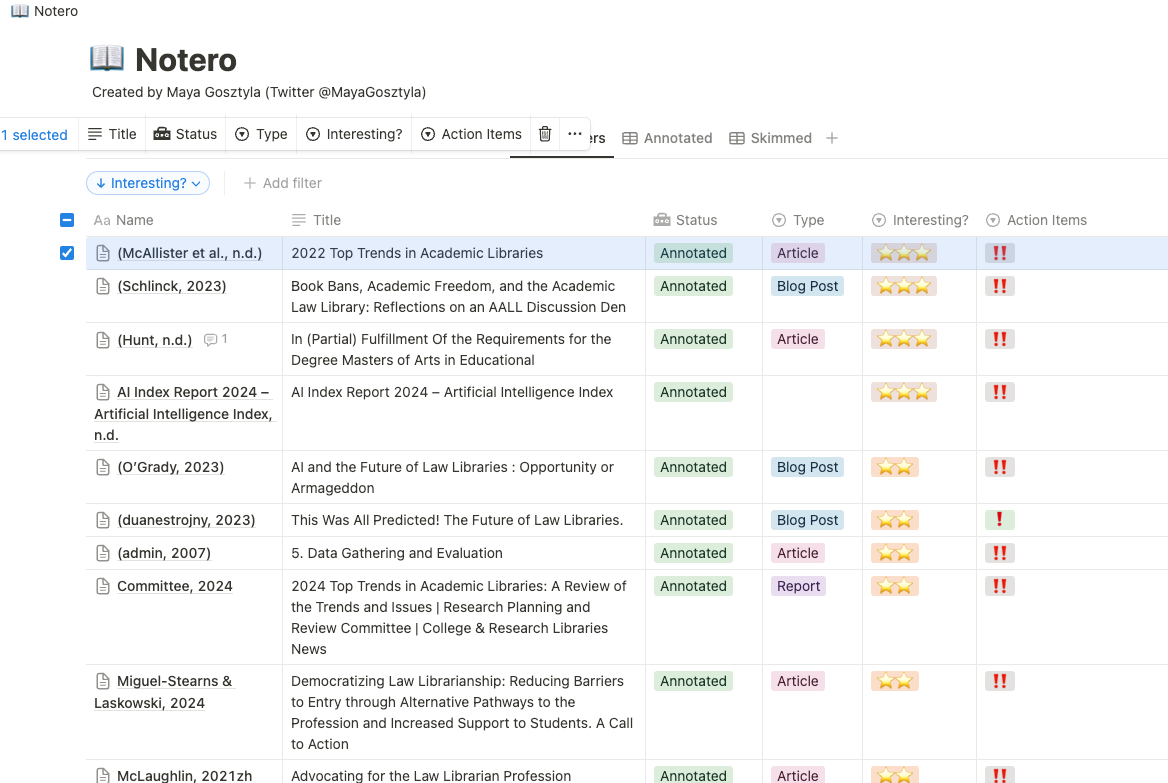
Each item record included basic bibliographic information, along with anything else I wanted to add (here, action notes and quotes). Notero also allows users to make custom tags, which I used to designate which section of my chapter each resource related to.

The main drawback? It’s kind of hard to install. I found this guide helpful, but it took a couple of tries to get my Zotero synced with Notion. Once set up, though, customizing Notero was pretty easy. Note that the guide recommends that users also install Maya Gosztyla’s template. I concur – the template adds great organization features. This guide offers even more tips for using Notero.
I wouldn’t use Notero for every creative project – most of my work doesn’t need this level of robustness. But when working with several dozen sources and tracking multiple interrelated topics, Notero can be an invaluable partner.
